






How to Add a Secondary Email Address to Your Lehman Login Account

From your preferred browser, go to the Lehman Login Account Manager (URL: https://managelogin.lehman.edu/).

On the Manage Your Account (Existing & New Users) section, enter your Lehman Login Account credentials and click on Login.
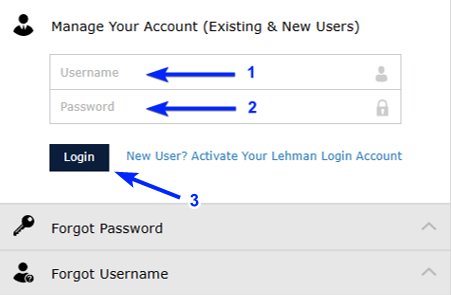
How to Add a Secondary Email Address to Your Lehman Login Account - Step 2

From the top navigation menu, click on Enrollment.
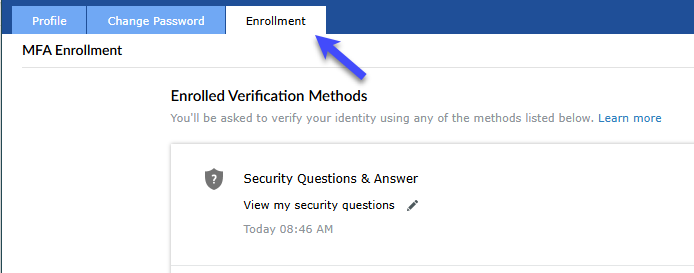
How to Add a Secondary Email Address to Your Lehman Login Account - Step 3

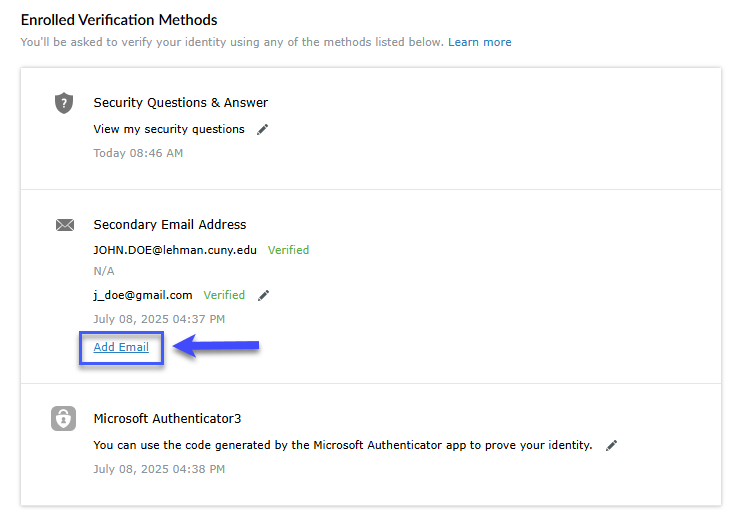
Under the title Secondary Email Address, click on Add Email.

How to Add a Secondary Email Address to Your Lehman Login Account - Step 4

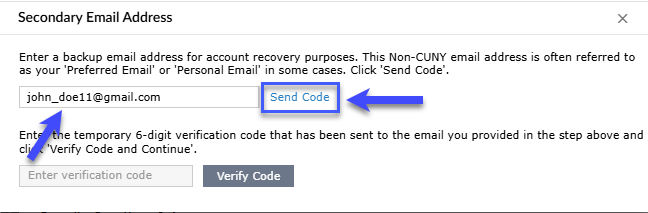
Enter the new Secondary Email Address and click on Send Code.

How to Add a Secondary Email Address to Your Lehman Login Account - Step 5

Important:

  • Do not list your Lehman email address as your secondary email. Instead, provide an alternate email that you can access in case you're unable to log into your Lehman account.

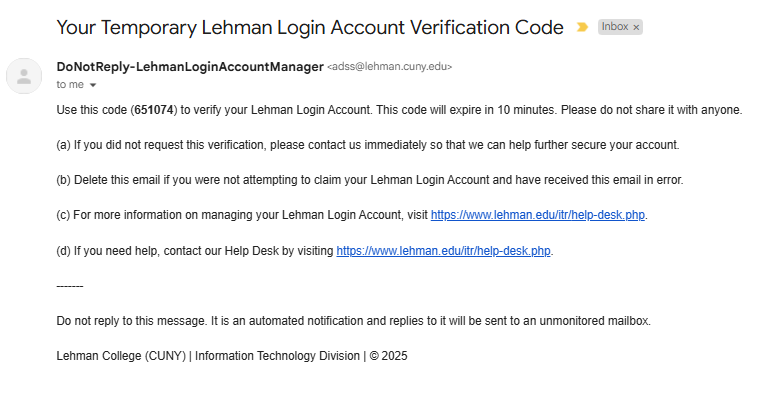
  • Check the inbox of the secondary email address you just entered. Locate the message containing the verification code.

Note: The code provided will expire within 10 minutes. You will need to re-send a new code if the first one has already expired.

Email Details:
Sender: DoNotReply-LehmanLoginAccountManager (adss@lehman.cuny.edu)
Subject: Your Temporary Lehman Login Account Verification Code
Sample Email:

How to Add a Secondary Email Address to Your Lehman Login Account - Step 5a

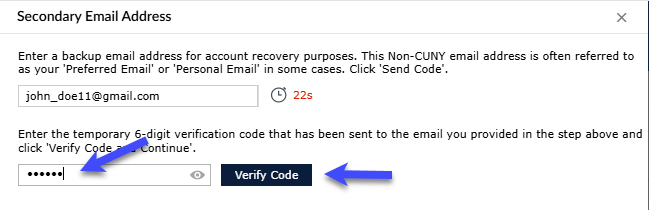
Return to the system, enter the code in the appropriate field, and click on Verify Code.

How to Add a Secondary Email Address to Your Lehman Login Account - Step 6

A message will display confirming the update. You can add up-to two recovery email addresses.

How to Add a Secondary Email Address to Your Lehman Login Account - Step 6a