






From your preferred browser, go to the Lehman Login Account Manager (URL: https://managelogin.lehman.edu/).
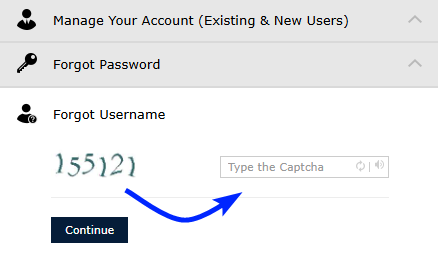
Click on the Forgot Username to expand the section and enter the 6-digit captcha verification code shown. Click on Continue.
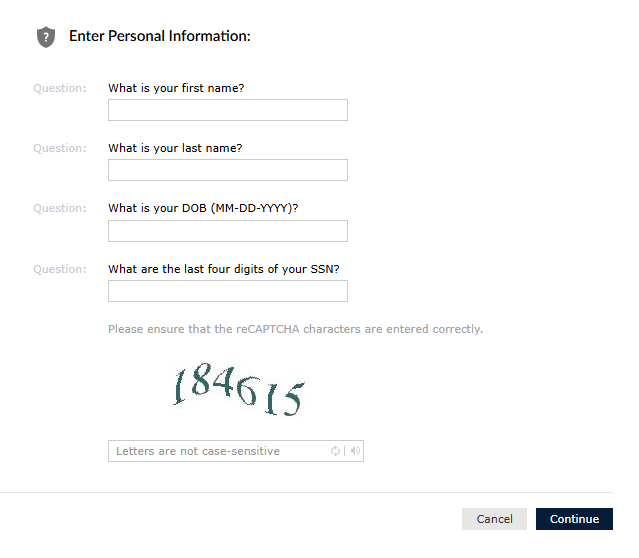
Answer the Personal Information questions presented and enter the captcha verification code shown. Click on Continue.
Note:
- Ensure your entries align with your CUNYfirst record
- Ensure your date of birth is entered in this format: MM-DD-YYY (including the dashes).
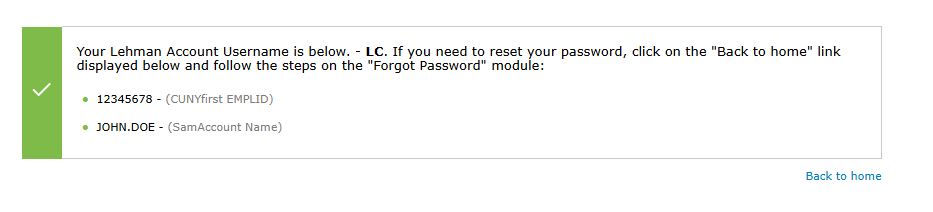
You will then be presented with a message displaying both your EMPLID and Lehman Login Account Username.