






How to Update Your Lehman Login Account Security Questions

From your preferred browser, go to the Lehman Login Account Manager (URL: https://managelogin.lehman.edu/).

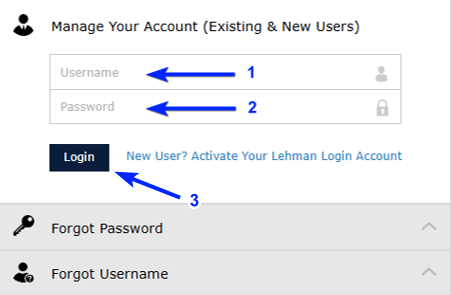
On the Manage Your Account (Existing & New Users) section, enter your Lehman Login Account credentials and click on Login.
How to Update Your Lehman Login Account Security Questions - Step 2

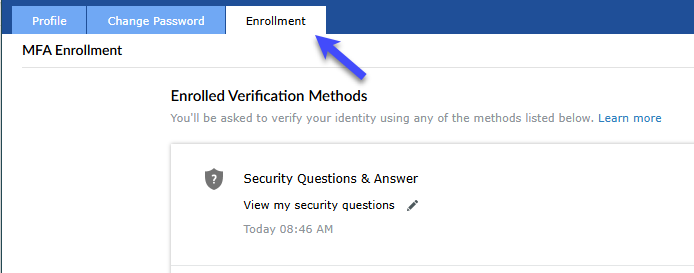
From the top navigation menu, click on Enrollment.
How to Update Your Lehman Login Account Security Questions - Step 3

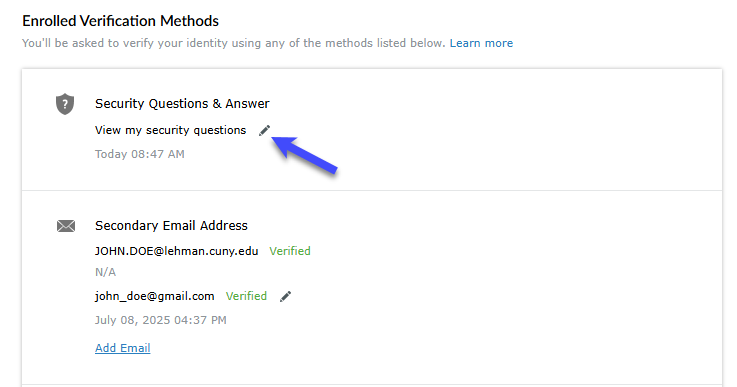
Under the title Security Questions & Answer, click on the pencil icon located next to View my security questions.

How to Update Your Lehman Login Account Security Questions - Step 4

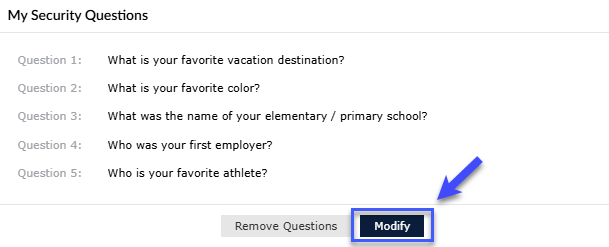
Click on Modify.

How to Update Your Lehman Login Account Security Questions - Step 5

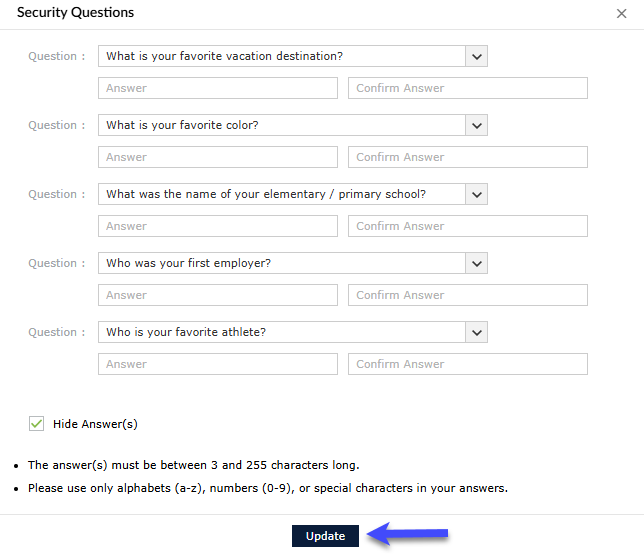
Choose your new questions and answers and click on Update.

How to Update Your Lehman Login Account Security Questions - Step 6