







Lehman 360 Digital ID
Access from the Mobile App
Same Campus. More Ways to Connect.
If you are coming to campus, it is important that you have your Campus ID ready to scan/swipe when you arrive at gates 2, 5, 8 or 13. Students, faculty and staff can use the physical ID card or the Lehman 360 Digital ID, which can be easily scanned from the mobile device of choice at the gates.
Open the Lehman Mobile App
Launch the Lehman Mobile App on your mobile device to begin. 
Select Lehman 360
From the app landing page, select the Lehman 360 link highlighted below.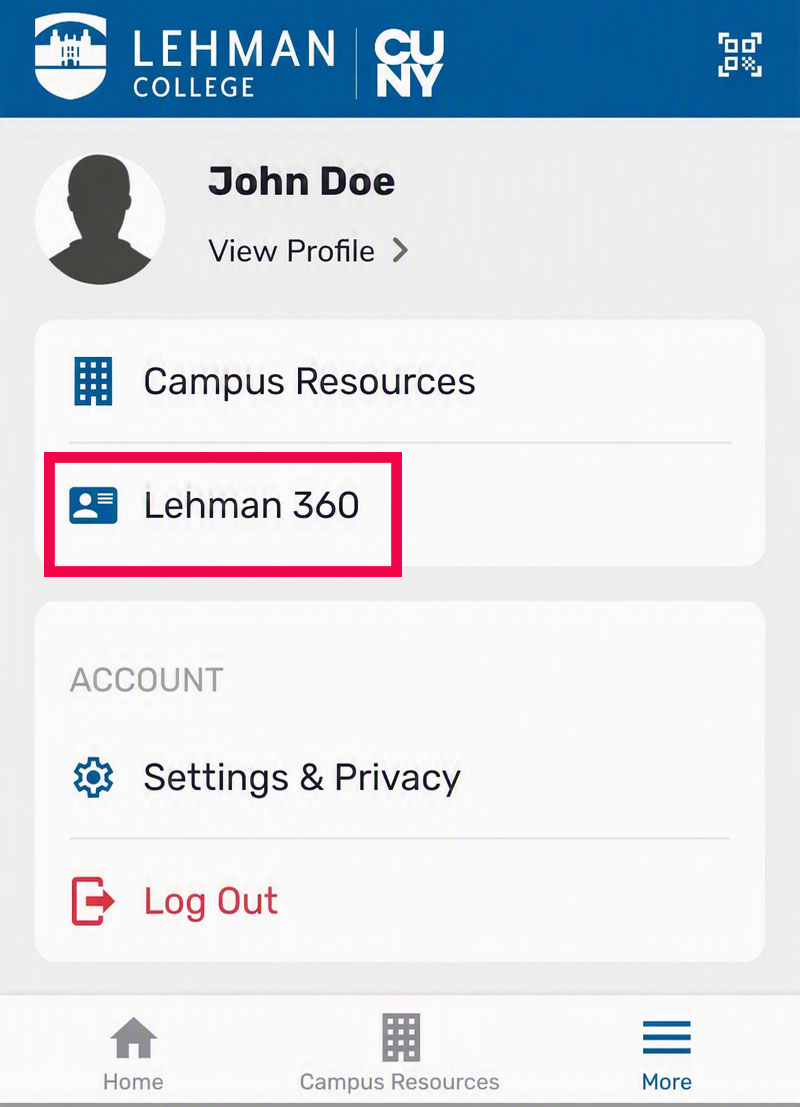
Log in with Your CUNY Credentials
Sign in to Lehman 360 using your CUNY Login username and password.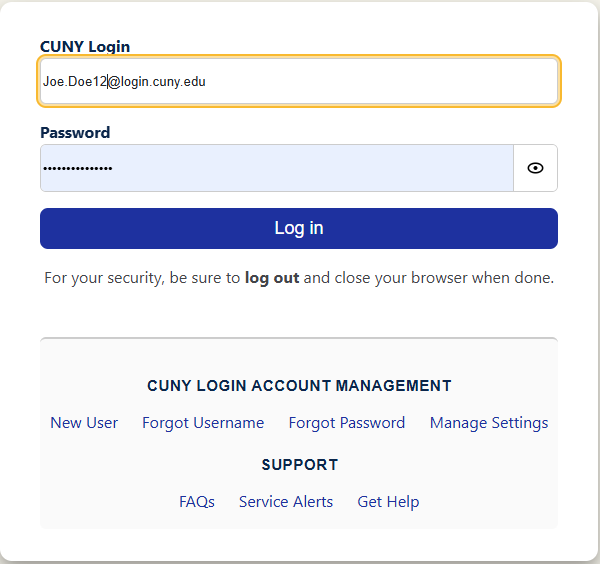
Click the Digital ID Icon
After signing in, select the Digital ID icon on your Lehman 360 dashboard to display your Digital ID.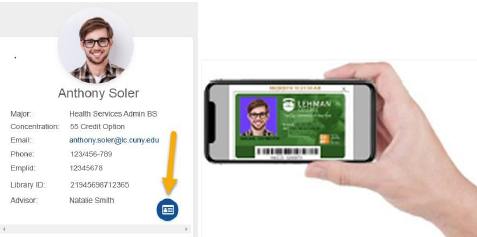


Important to Know
Students, faculty and staff may use their physical Campus ID card or the Lehman 360 Digital ID at campus entrances.
The Lehman 360 Digital ID can be accessed from the Lehman Mobile App by selecting Lehman 360.
The Lehman 360 Digital ID can be accessed from the Lehman Mobile App by selecting Lehman 360. The Lehman 360 link can also be found within Campus Resources.
Have your Campus ID or Lehman 360 Digital ID readily available before you reach the gate.
Quick Reference
Lehman 360
Opens Lehman 360 from the mobile app, where you can access your Digital ID and other personalized services.
Campus Resources
Opens the familiar tile-style view. The Lehman 360 link is also available in this section.
Welcome to Lehman College!
El Rayo
Proud to be Lehman!