








Calling all Students, Faculty, and Staff - LinkedIn Learning is Here for you.
Brush up on your skills or add new tools to your personal portfolio with free access to more than 25 thousand webinars, courses and instructional videos.
Simply log in with your CUNYfirst email to create your LinkedIn Learning profile.
All videos are free and can be watched on the LinkedIn Learning Website or the LinkedIn Learning app.
How to Access: Sign-In and Setup
Access your Lehman Learning Account using your CUNY Login Account.
*You may also use the LinkedIn Learning Mobile app for iOS and Android.
Use your CUNYfirst Login Credentials, firstname.lastname##@login.cuny.edu (## being the last 2 digits of your EMPLID) and your password; If you need help with your credentials, please visit the IT Helpdesk for assistance.
As soon as you land on the LinkedIn Learning page, your account is automatically activated and you will be prompted to set up your account profile.
Step-by-Step-Instructions
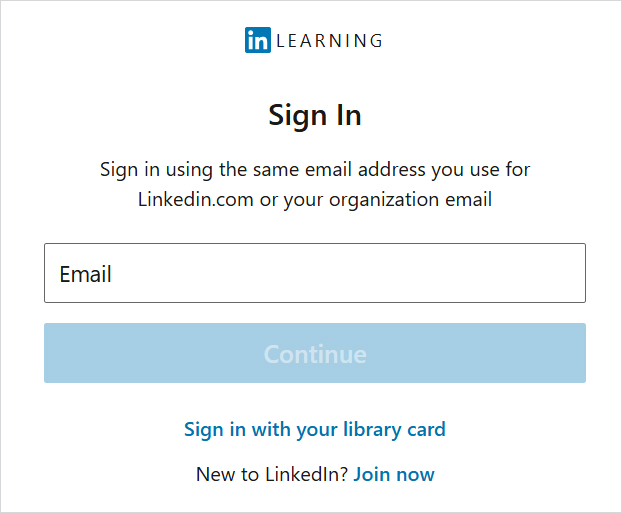
Sign-In using your CUNY Login Account. For example, jane.doe55@login.cuny.edu. Then click Continue.
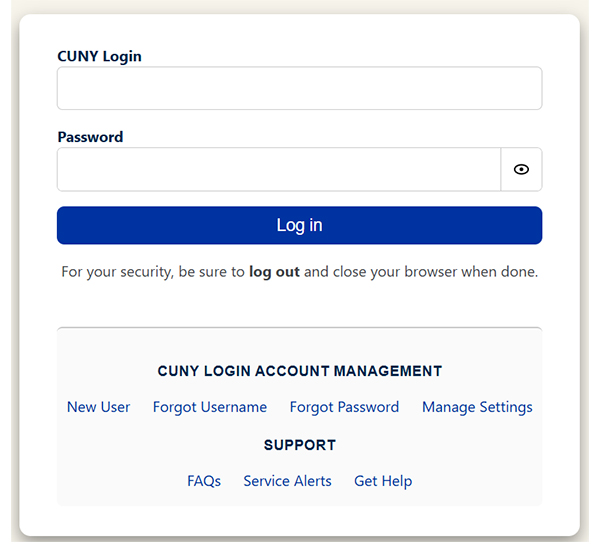
Enter CUNY Login and Password, then click Login.
Enter OTP (One Time Passcode).
If you have not set up MFA for CUNY applications, see following link for instructions, CUNY MFA Set up.
Download the Mobile App
Download the LinkedIn Learning app from the iOS App Store or Google Play Store
Open the app
On the Login screen, enter the CUNY Login username followed by @login.cuny.edu (firstname.lastname##@login.cuny.edu).
Sign in and you will redirected to CUNY Login page.
Enter your CUNY Login credentials
Enter the LinkedIn Learning app
Need Help?
Use LehmanQ for live IT support
LehmanQ is the single point of contact for real-time assistance, including:
- In-person support (Carman Hall, Room 108)
- Phone support
- Zoom support
LehmanQ is required for issues that involve identity verification, such as:
- Password resets
- Account access
- Multi-Factor Authentication (MFA) setups or resets
LehmanQ allows IT to verify identity appropriately, manage high request volumes fairly, and connect users to the right type of support efficiently.
Access LehmanQ here or from the IT Service Desk page.